


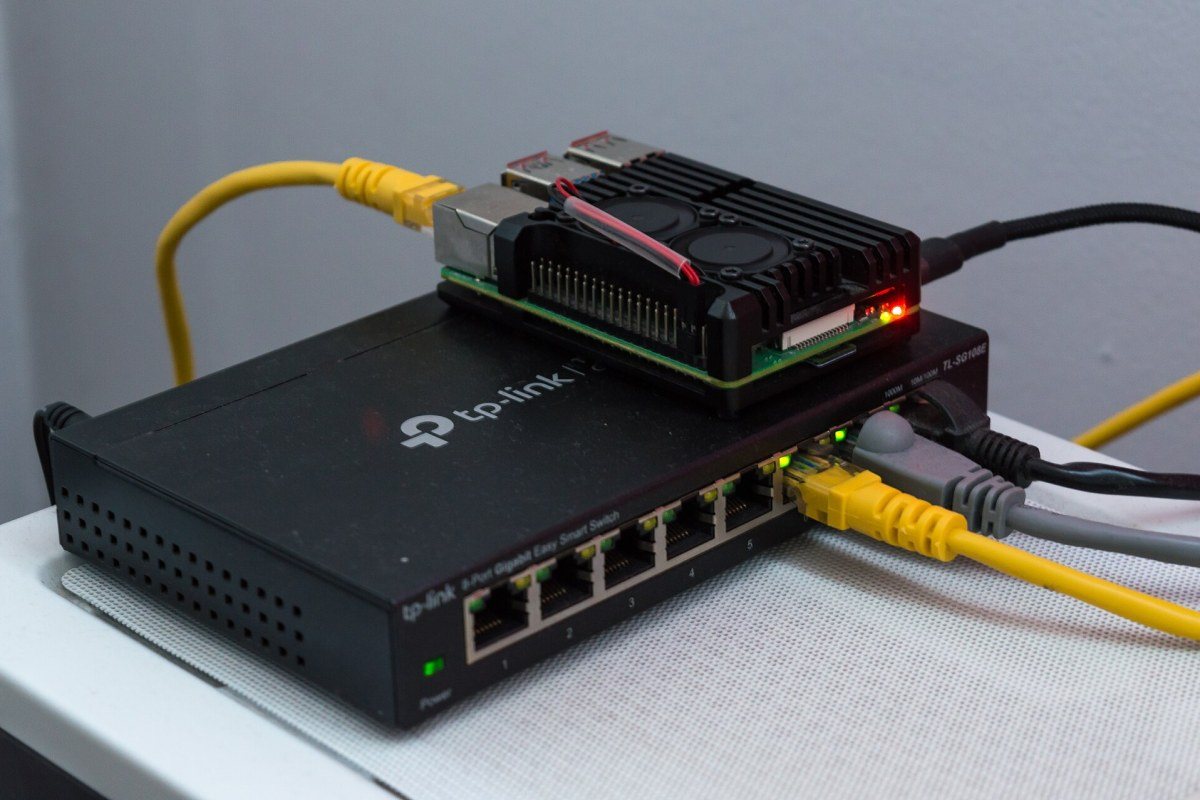
Typing an address into a browser and seeing a page appear moments later feels instantaneous. Yet in that short time, your request may have travelled through your home router, your internet provider, several large networks and undersea cables before reaching a server possibly on another continent – and the reply has made the journey back. The internet manages this without any central control room. Instead, it relies on a set of shared rules, or protocols, that allow independent networks to cooperate. Here is how data finds its way.
Breaking data into packets
The internet does not send a web page, photo or video as one continuous stream along a reserved line, as old telephone networks did. Instead, it uses packet switching. Data is divided into small chunks called packets. Each packet carries a piece of the content plus a header containing the information needed to deliver it: where it came from, where it is going and how it fits with the other pieces.
Packets from the same file can take different routes and arrive out of order. At the destination, they are reassembled. This design makes the network efficient, because many users share the same lines, and resilient, because if one path fails, packets can be sent another way. Resilience was one of the original goals of the research networks from which the internet grew.
Addresses: IPv4 and IPv6
Every device connected to the internet needs an address, much as every house needs a postal address. These are IP addresses, defined by the Internet Protocol. The older version, IPv4, uses addresses written as four numbers separated by dots, such as 192.0.2.10. IPv4 allows a little over four billion unique addresses, which turned out to be far too few for a world full of phones, computers and smart devices.
Two solutions emerged. The first is network address translation (NAT): your home router has one public address on the internet, while your devices use private addresses inside your home. The router keeps track of which conversation belongs to which device. The second, longer-term solution is IPv6, which uses much longer addresses and provides an almost unimaginably large number of them. Both versions now operate side by side.
DNS: the internet's phone book
People remember names, not numbers, so the internet uses the Domain Name System (DNS) to translate human-friendly names into IP addresses. When you enter a website name, your device asks a DNS resolver, usually run by your internet provider or a public service, for the matching address. The resolution happens in steps:
- The resolver checks whether it already knows the answer from a recent request.
- If not, it asks a root server, which points it to the servers responsible for the top-level domain, such as .com or .ua.
- Those servers point to the authoritative name server for the specific domain.
- The authoritative server returns the IP address, which the resolver passes back to your device and stores temporarily for future use.
All of this usually takes milliseconds. Because DNS is so central, problems with it can make websites appear to vanish even when their servers are running perfectly.
Routers and the journey across networks
Once your device knows the destination address, it sends packets to your router, which forwards them to your internet provider. From there, packets are passed from one router to the next. Each router examines the destination address and consults its routing table to decide the best next step. No router knows the full path; each only knows which neighbour is closer to the destination. A packet may pass through a dozen or more routers before arriving.
The internet is made up of tens of thousands of independent networks, called autonomous systems, run by internet providers, universities, large companies and content networks. They exchange information about which addresses they can reach using the Border Gateway Protocol (BGP). BGP is how the internet's map is constantly updated. It is powerful but relies heavily on trust between networks: a misconfigured announcement can accidentally redirect traffic or make services unreachable, which is why newer security measures for route validation have been developed.
Making sure everything arrives
IP itself does not guarantee delivery. That job falls to the Transmission Control Protocol (TCP), which numbers packets, checks that each one arrives, requests missing ones again and puts everything back in order. For applications where speed matters more than perfection, such as live video calls or online games, the simpler User Datagram Protocol (UDP) is used instead. Newer protocols such as QUIC, used by modern web browsers, build on UDP while adding reliability and encryption.
Physical infrastructure underlies everything: copper and fibre cables, mobile masts, internet exchange points where networks meet, and the undersea cables that carry the great majority of intercontinental traffic. The internet's elegance lies in how these layers stack together – cables, addresses, routing, reliable delivery and finally the applications we use – each doing one job well, so that a page appears on your screen as if by magic.
What's Your Reaction?
 Like
0
Like
0
 Dislike
0
Dislike
0
 Love
0
Love
0
 Funny
0
Funny
0
 Wow
0
Wow
0
 Sad
0
Sad
0
 Angry
0
Angry
0











Comments (0)